Time tracking and invoicing for freelancers

Track every billable hour.

Billable is time tracking and invoicing for freelancers, consultants and independent professionals. It runs on your device: no account, no servers, no tracking. Open it and start the timer.

Free to download, with unlimited clients, time entries and PDF invoices. Billable Pro adds more, with a 7-day free trial.

  • TrackStart a timer in one tap, or log hours by hand.
  • InvoiceBranded PDF invoices with your logo and a QR code.
  • Get paidStripe or PayPal.me links your client can pay from.
  • Know your numbersHours and earnings by client, tag and period.
Track

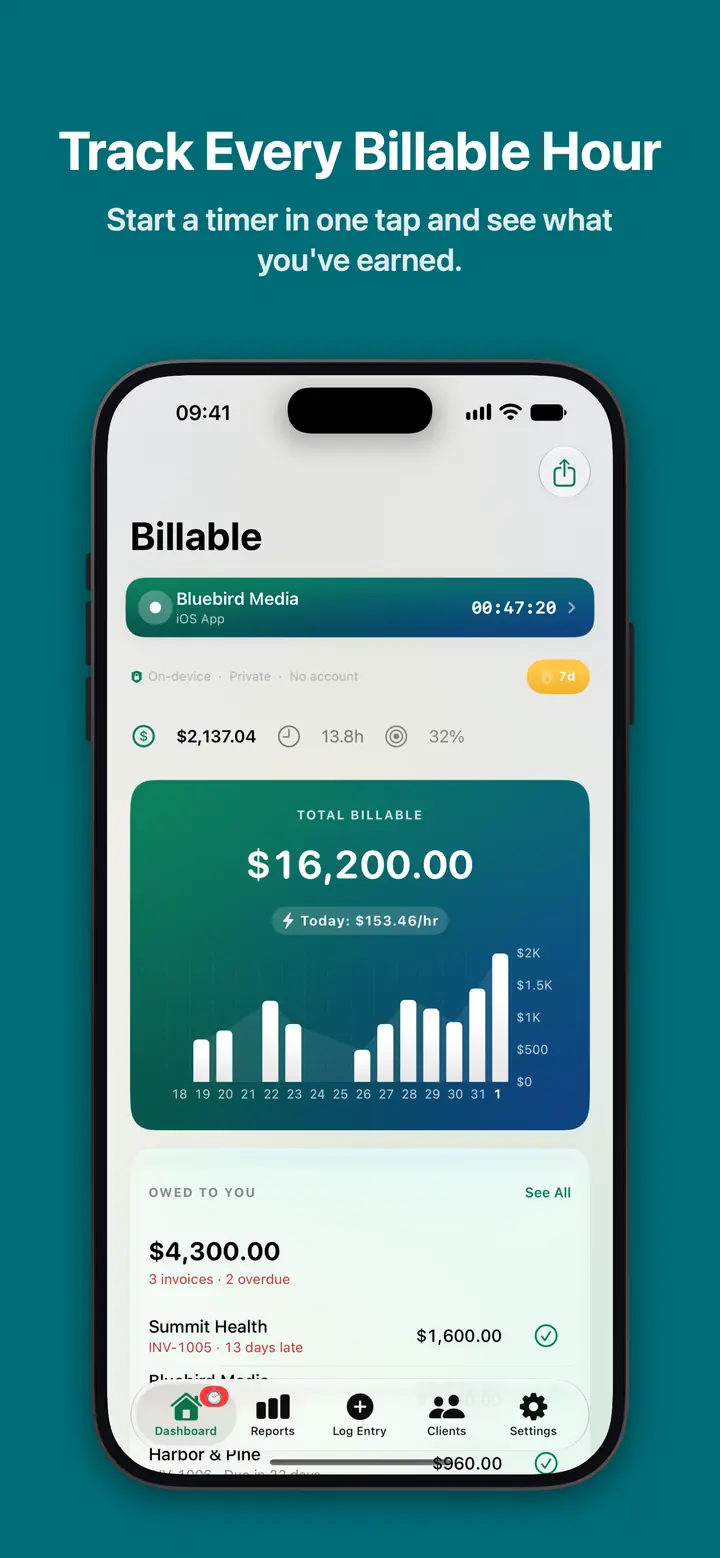
Track your time.

Start a timer in one tap and see what you’ve earned.

  • Start a timer in one tap or log hours by hand
  • Give each entry a client, project, rate and tags
  • Forgot to press Start? Pick when you began
  • A Pomodoro mode keeps you focused
  • The timer keeps running across restarts, and shows in the Dynamic Island
Billable’s dashboard: a running timer, the total billable this month and a chart of daily earnings.
Invoice

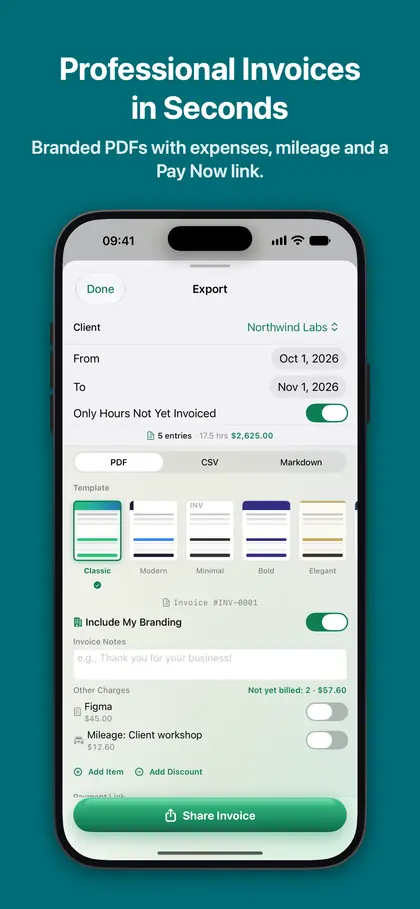
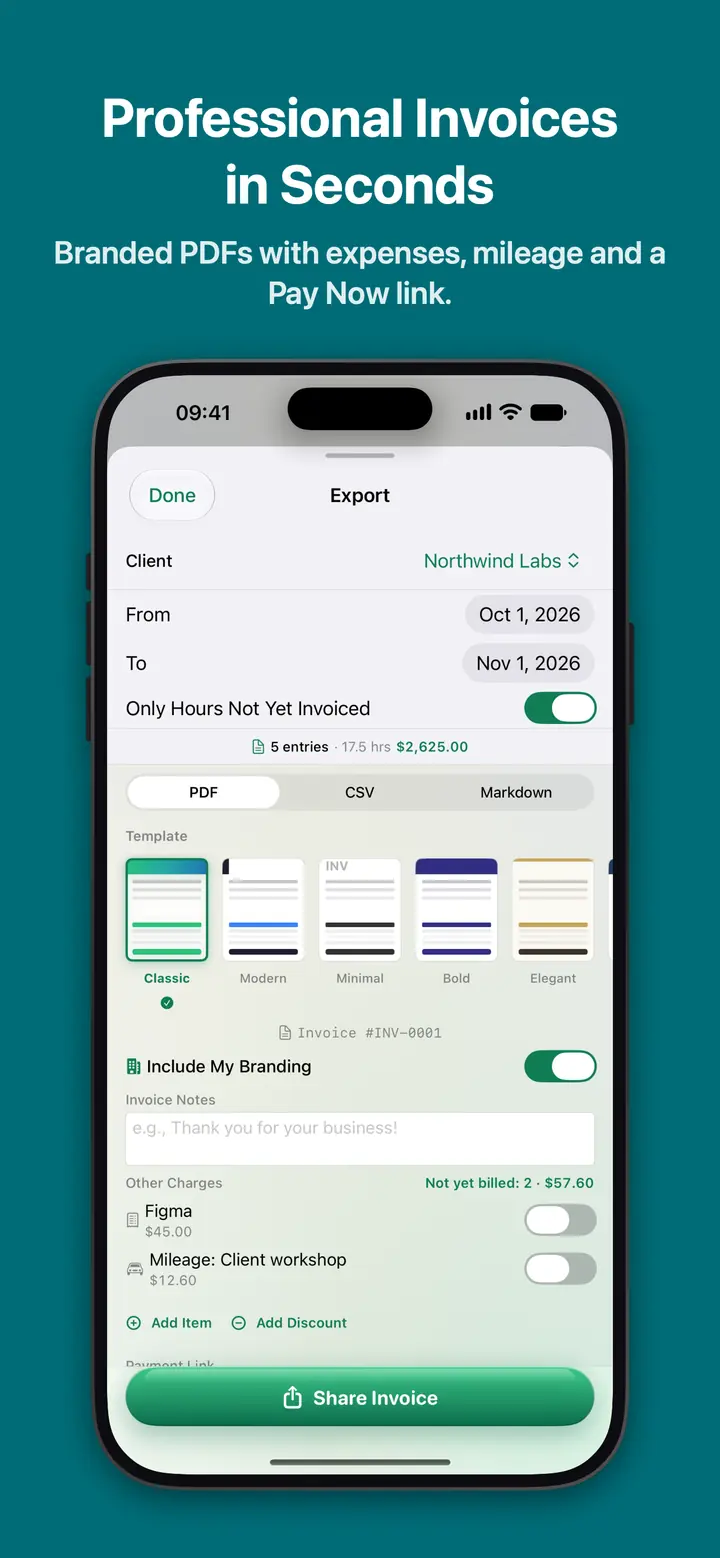
Invoice in seconds.

Turn unbilled hours into a branded PDF invoice.

  • Your logo, payment details and a QR code on every invoice
  • Add expenses, mileage, fixed-price items and discounts
  • Put a Stripe or PayPal.me link on it, and your client can pay straight from the invoice
  • Choose a template, then export as PDF, CSV or Markdown
Exporting an invoice in Billable: client, date range, template and branding options.
Get paid

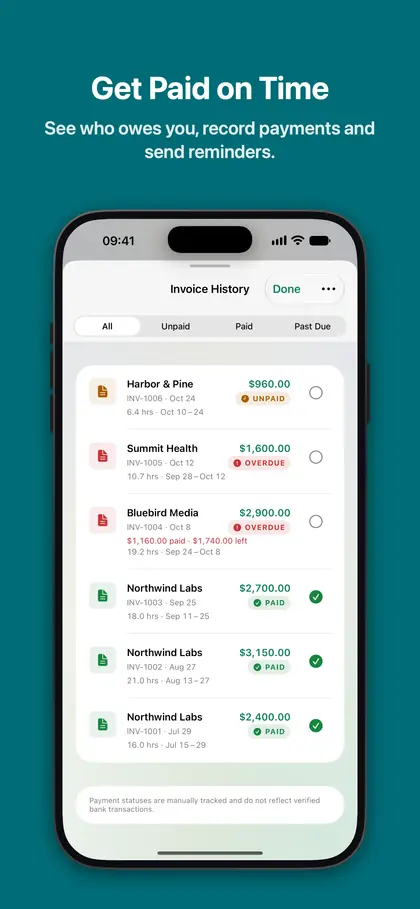
Get paid on time.

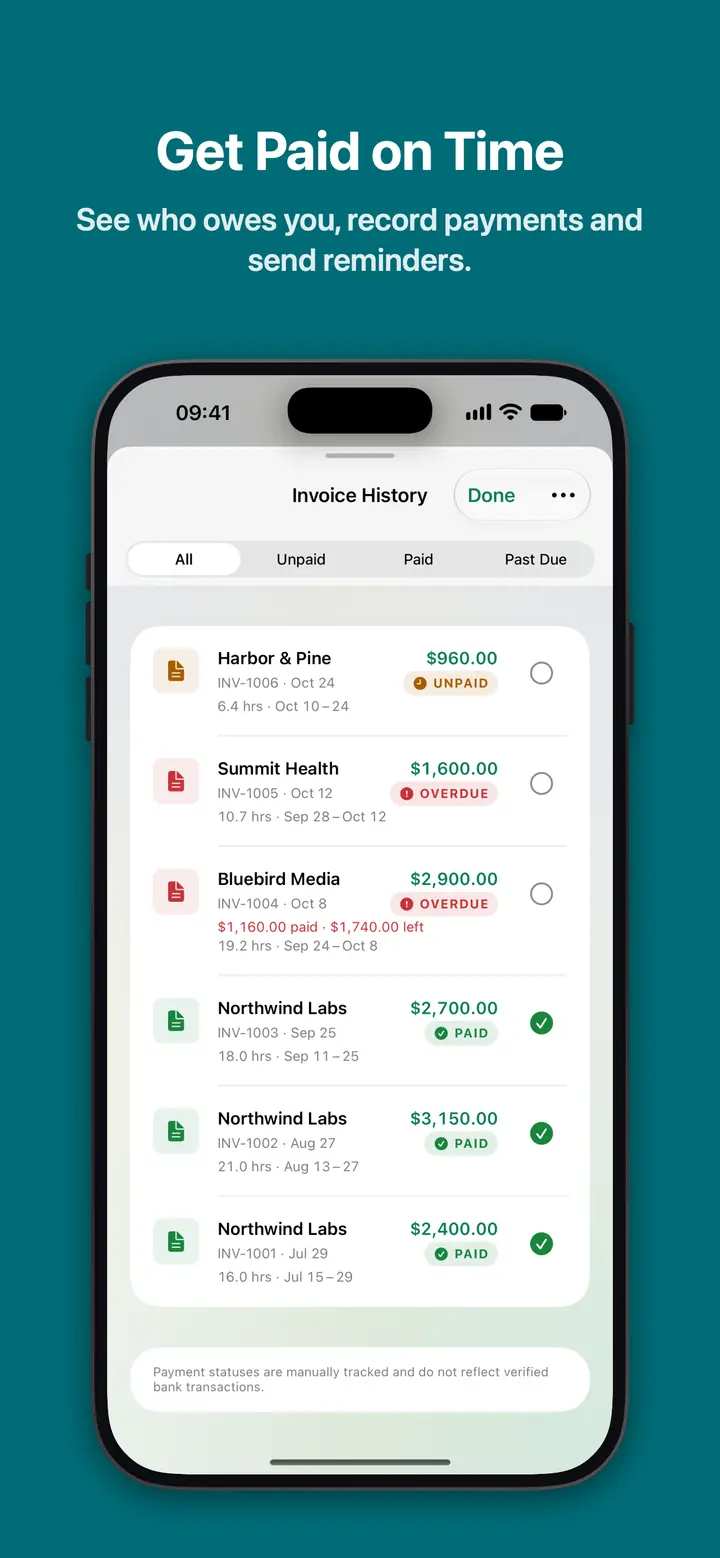
See who owes you, record payments and send reminders.

  • See what you’re owed on the dashboard, late invoices first
  • Record part payments, void an invoice or issue a credit note
  • Draft a polite reminder when an invoice is overdue
  • Export a CSV statement from your bank, and Billable matches the money that came in to your open invoices
Billable’s invoice history, with unpaid, overdue and paid invoices.
Know your numbers

Know where your money comes from.

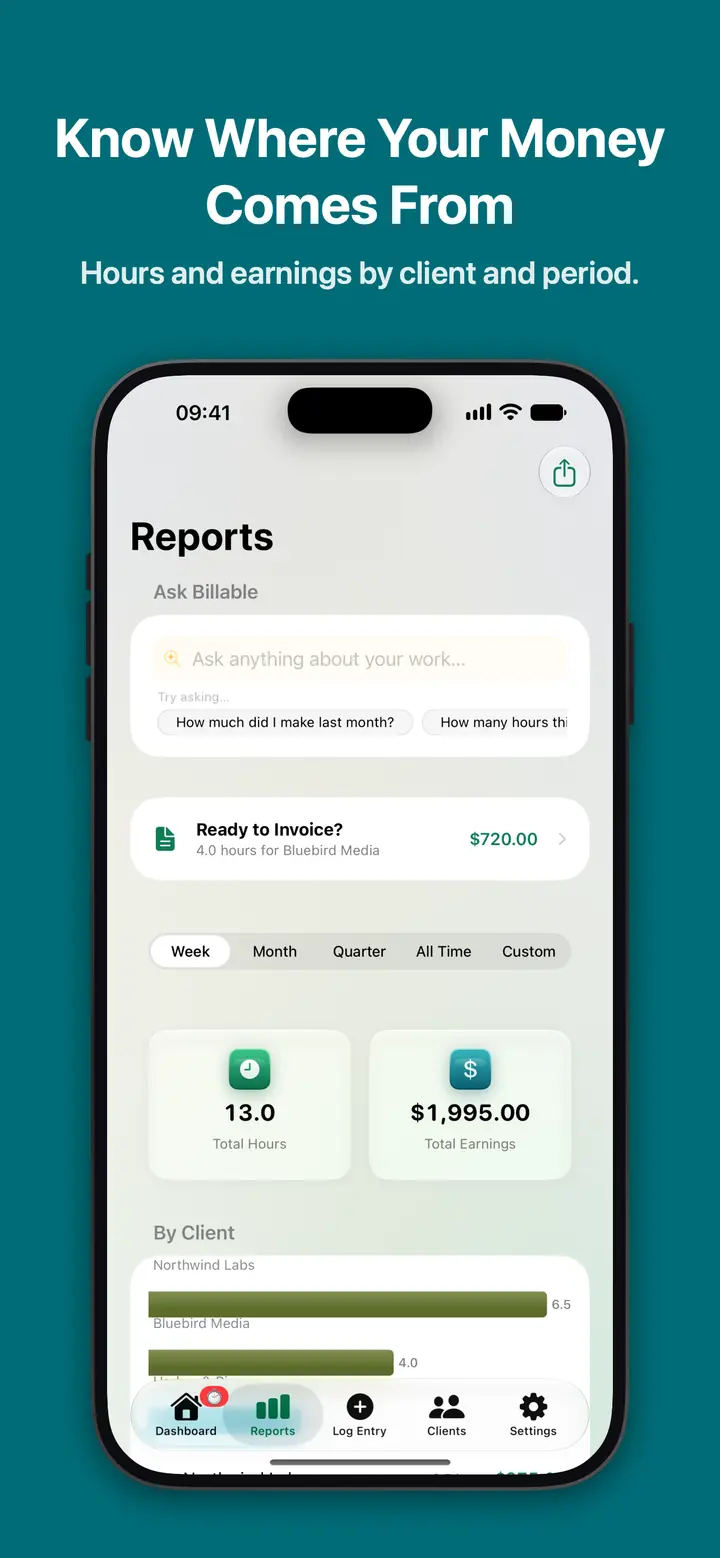
Hours and earnings by client and period, and what each client owes.

  • Reports by client, tag and period
  • See how long each client takes to pay
  • Track project budgets and expenses
  • Set money aside for tax with quarterly estimates
Billable’s reports: total hours and earnings for the week, and a breakdown by client.
On-device intelligence

Less typing, worked out on your device.

2 hours for Acme at $150

Type it, and it’s logged

Write an entry the way you’d say it, and Billable fills in the client, the hours and the rate.

Vendor · Amount · Date

Scan a receipt

Billable reads the vendor, amount and date, ready to add as an expense.

Client · Project · Rate

Suggestions from your history

Clients, projects and rates are suggested from your own past entries.

Private by design

On-device. Zero tracking.

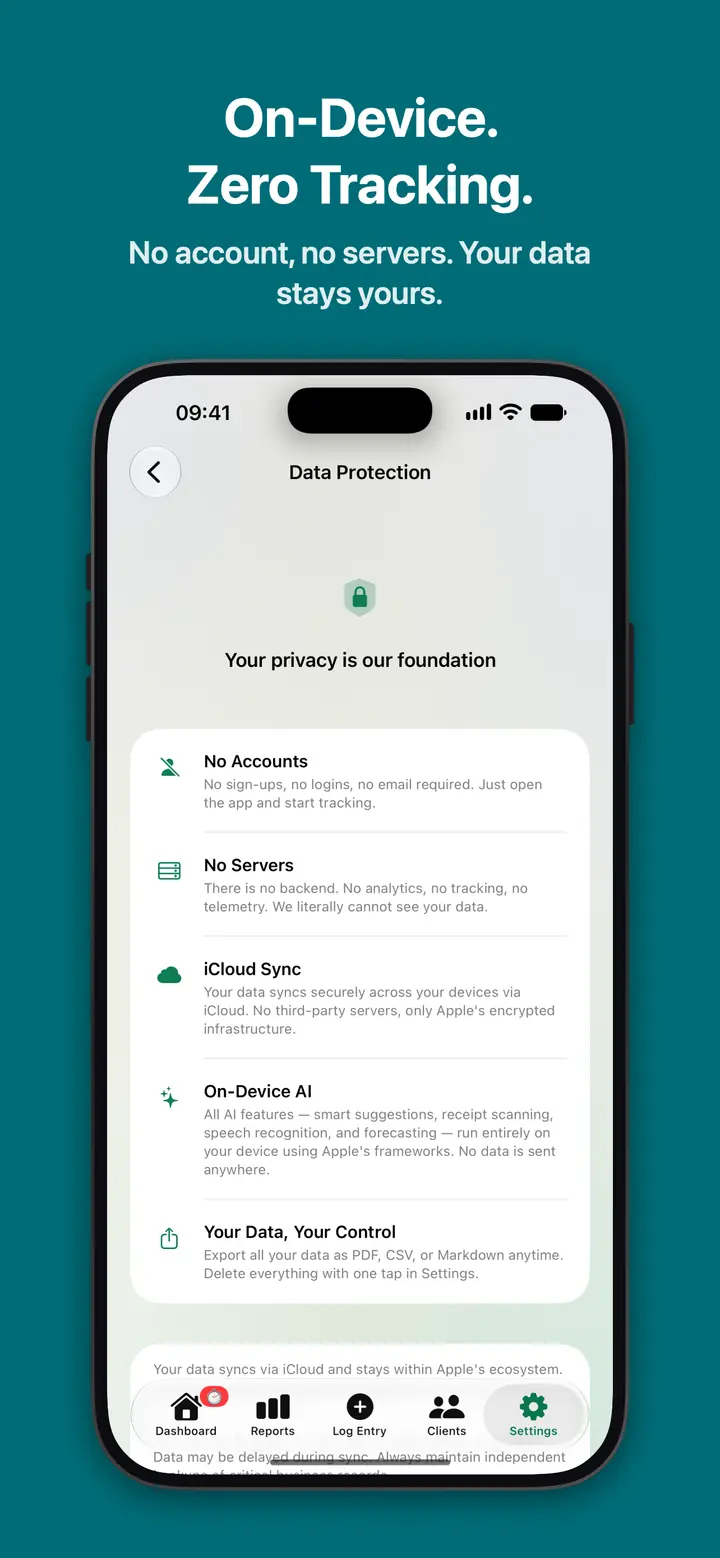
No account, no servers: your data stays yours. On the App Store, Billable’s privacy label reads “Data Not Collected”.

  • No accounts No sign-up, no login, no email. Just open the app and start tracking.
  • No servers No backend, no analytics, no tracking and no telemetry. We can’t see your data.
  • Syncs through your iCloud Your data syncs across your devices through your own iCloud account. No third-party servers.
  • AI on your device Suggestions, receipt scanning, speech recognition and forecasting run on the device, using Apple’s frameworks.
  • Face ID lock Lock the app so your clients and earnings stay private.
  • Your data, your control Export everything as PDF, CSV or Markdown any time, or delete it all with one tap.
Billable’s Data Protection screen: no accounts, no servers, iCloud sync, on-device AI, and your data under your control.
Everywhere you work

On every device you bill from.

iPhone, iPad, Mac and Apple Watch, kept in step through your own iCloud account.

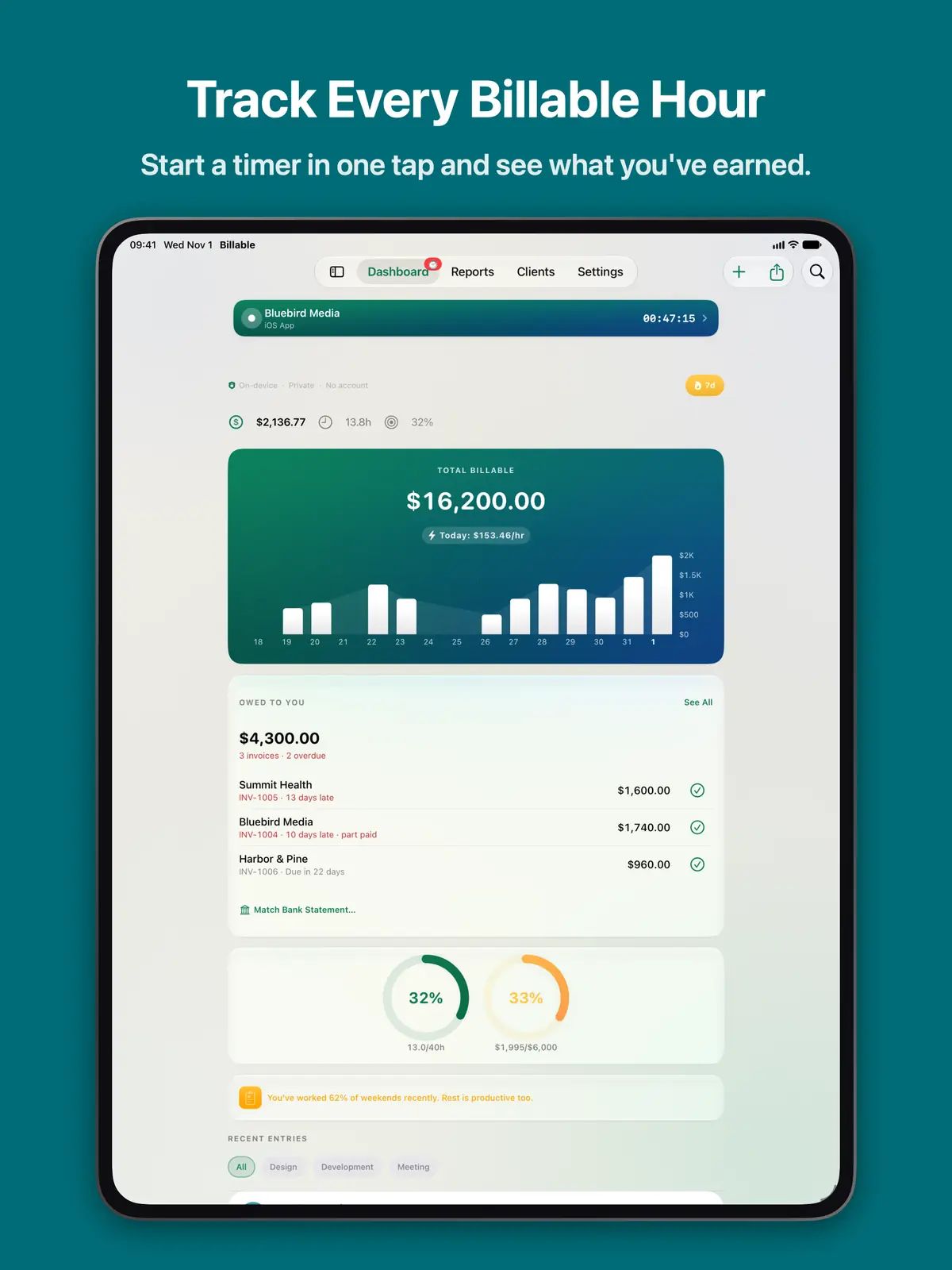
Billable on iPad: the dashboard with a running timer, total billable and what clients owe.
  • iPhone and iPadStart a timer from the Home Screen widget, Control Center or Siri.
  • MacThe same clients, hours and invoices on your desk.
  • Apple WatchStart a timer from your wrist.
  • Location remindersA nudge to start the timer when you arrive at a client’s site.
  • 16 languagesEnglish, Arabic, Chinese (Simplified), Danish, Dutch, French, German, Italian, Japanese, Korean, Polish, Portuguese (Brazil and Portugal), Russian, Spanish and Swedish.
Pricing

Free covers the essentials.

Billable Pro adds the tools for a growing practice. Try it free for 7 days.

Billable

Free on the App Store

  • Unlimited clients, time entries and PDF invoices
  • The timer and Pomodoro
  • Payment links and payment tracking
  • Bank statement matching
  • CSV and Markdown export
  • Goals and streaks
  • iCloud sync, Apple Watch, widgets and Siri

Billable Pro

Monthly, yearly, or a one-time Lifetime purchase

  • Recurring invoices, quotes and retainers
  • Payment insights and advanced reports
  • Budgets and expenses, with receipt scanning
  • Tax estimates
  • Proposals and contracts
  • Calendar import and templates
  • Location reminders and voice entry

Payment is charged to your Apple Account. Subscriptions renew automatically unless cancelled at least 24 hours before the end of the current period. Prices for your country are on the App Store.

Support

Need a hand with Billable?

A question, a bug, or an idea for the app: email the developer directly.

junaid.muhammadkhan@icloud.com
Where is my data stored?

On your device. If iCloud sync is on, it also syncs through your own iCloud account to your other devices. Billable has no servers, so nobody else, including us, can see it.

Do I need an account?

No. There’s no sign-up, no login and no email. Open the app and start the timer.

Does Billable take payments for me?

No. You can put your own Stripe or PayPal.me link on an invoice, and your client pays you through that service. You then record the payment in Billable, or match it from a bank statement you import.

Does the AI send my data anywhere?

No. Suggestions, receipt scanning, speech recognition and forecasting run entirely on your device, using Apple’s frameworks.

How do I move to a new iPhone?

Keep iCloud sync on. Your clients, hours and invoices come across when you sign in to the same Apple Account on the new device and open Billable.

How do I delete my data?

Go to Settings, then Delete All Data. It removes your entries, templates, goals, business profile and timer data, and if iCloud sync is on, the deletion reaches your other devices too.

How do I cancel Billable Pro?

Subscriptions are handled by Apple. On iPhone, open Settings, tap your name, then Subscriptions. Lifetime is a one-time purchase, so there’s nothing to cancel.

What are the terms of use?

Billable is licensed under Apple’s standard end user licence agreement. How your information is handled is in the privacy policy.